Closed

Where to redirect "Add to cart button" in vm2 to url

Wed Jan 22, 2014 6:18 pm
Hello Jumbo

I like to know where can i redirect the add button to an extern url in supermartk template ?
I need to place this code:
if ($this->product->product_url == ""){
			  echo $this->loadTemplate('addtocart');
			} else {
			  echo "<a target=\"_parent\" href=\"".$this->product->product_url."\"><img src=\"link/to/the/image.png\" alt=\"external\"></a><br />";
			}
 
?>

Thank for advance.
The topic has been closed.
Wed Jan 22, 2014 10:09 pm
You can use the mentioned codes in any Product Listing pages. That will required very detailed amount of customization of the template. Therefore you can disable to Add to Cart buttons in Product Listing pages in template settings.

You can use your codes in Product Details page. File: templates\vp_supermart\html\com_virtuemart\productdetails\default.php
In line 131:
			    		echo $this->loadTemplate('addtocart');
You can replace above by:
							if ($this->product->product_url == ""){
							  echo $this->loadTemplate('addtocart');
							} else {
							  echo "<a target=\"_parent\" href=\"".$this->product->product_url."\"><img src=\"link/to/the/image.png\" alt=\"external\"></a><br />";
							}
Post your reviews about us on our Facebook Page.
Post your testimonials and suggestions Here.
Don't forget to Close your topic when resolved.
The topic has been closed.
Thu Jan 23, 2014 8:48 pm
Hello jumbo

Thank you for your answer. I found an other manier to send my order to add an extern server cart in the wrapper but it doesn't work correctly, maybe can you helping me here.

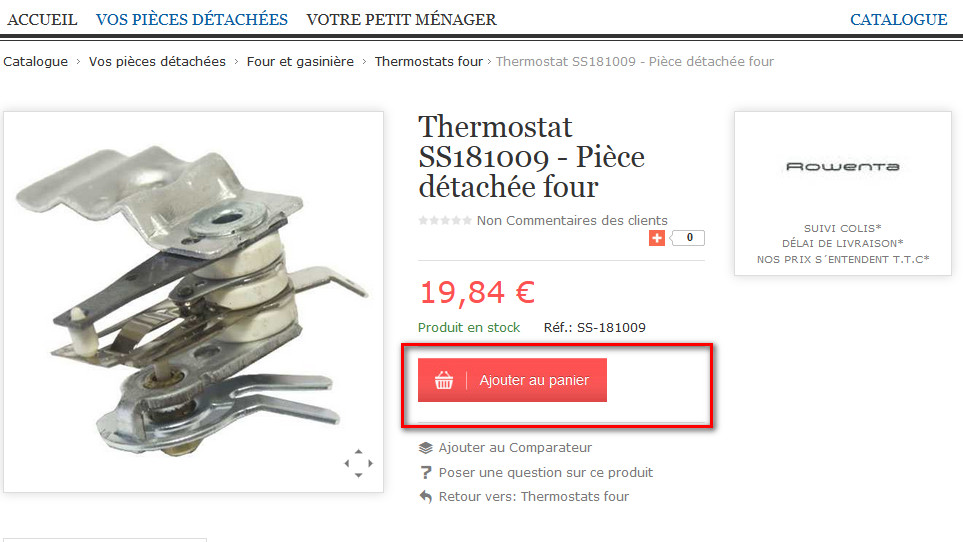
This the button add to cart code : zie afbeelding
 <p><a href="index.php?option=com_wrapper&view=wrapper&urldyn=1074721" target="_parent"><img src="images/bouton-ajouter-au-panier.jpg" alt="bouton-ajouter-au-panier" /></a></p>

This is the custom code to let extern url appear in de mod_wrapper:
<iframe <?php echo $this->wrapper->load; ?>
	id="blockrandom"
	name="iframe"
        src = "<?php echo 'http://extern-server.com/add_basket.php?g7=3128632N&nr='.JRequest::getVar('urldyn', 0); ?>"
	width="100%"
	height="650px"
	scrolling="<?php echo $this->escape($this->params->get('scrolling')); ?>"
	frameborder="<?php echo $this->escape($this->params->get('frameborder', 0)); ?>"
	class="wrapper<?php echo $this->pageclass_sfx; ?>">
	<?php echo JText::_('COM_WRAPPER_NO_IFRAMES'); ?>
</iframe>

If i clik op to the first time it get the value [urldyn] and if i try with another article it didn't get the value [urldyn] and giving me an warning message.

Can you please helping me with this of any suggesttion !

thanks for advance
Marie
Attachments:
The topic has been closed.
Thu Jan 23, 2014 10:22 pm
I am sorry but I will not be able to help you in this. This has nothing to do with VP SuperMart or any Joomla Templates. Earlier I have pointed out the area where you can replace the Add to Cart button html as per your requirement. Now you have to find out your desired codes to get your desired result and assign correct URL. You may also test the same using any other Joomla Template and even with standard VirtueMart layout. If your codes work with standard VirtueMart layout then it will also work with any Joomla templates including VP SuperMart.
Post your reviews about us on our Facebook Page.
Post your testimonials and suggestions Here.
Don't forget to Close your topic when resolved.
The topic has been closed.
Fri Jan 24, 2014 6:59 pm
Thanks Jumbo,

I found the way out ;) . I had an cache problem . Now it work as it must be.

Thank you.
The topic has been closed.
Fri Jan 24, 2014 11:03 pm
Okay.
Post your reviews about us on our Facebook Page.
Post your testimonials and suggestions Here.
Don't forget to Close your topic when resolved.
The topic has been closed.