
Now this tool is perfect with one minor exception. It does not pull the image from the article to place on facebook.
I have been using another tool to do what this one will do but missing some stuff that this one gives. I am now also using k2 for the article manager and unfortunately it seems to be also adding the tags.
What I would like to have is the ability to turn off specific settings in the OG Meta Plugin. This way all the displayed tags can be shown or individually disabled so that they do not replicate content.
Specifically I want to disable the og:image in this plugin
Images
Thu Jan 3, 2013 12:59 am
#1

Expert Boarder
Topic Author
Joined on: 08 Nov 2012
Posts: 159
Thanks: 11
rkoval says thank you to PollenRanch for this post.
The topic has been closed.

First of all please note that og:image is a mandatory property for Facebook Open Graph. Facebook wont accept the data if you disable this.
The images in articles works fine with the Plugin. You need to add the image using the standard article image field as shown on the attached screenshot. If you add the image within the content area then it will not be recognized.
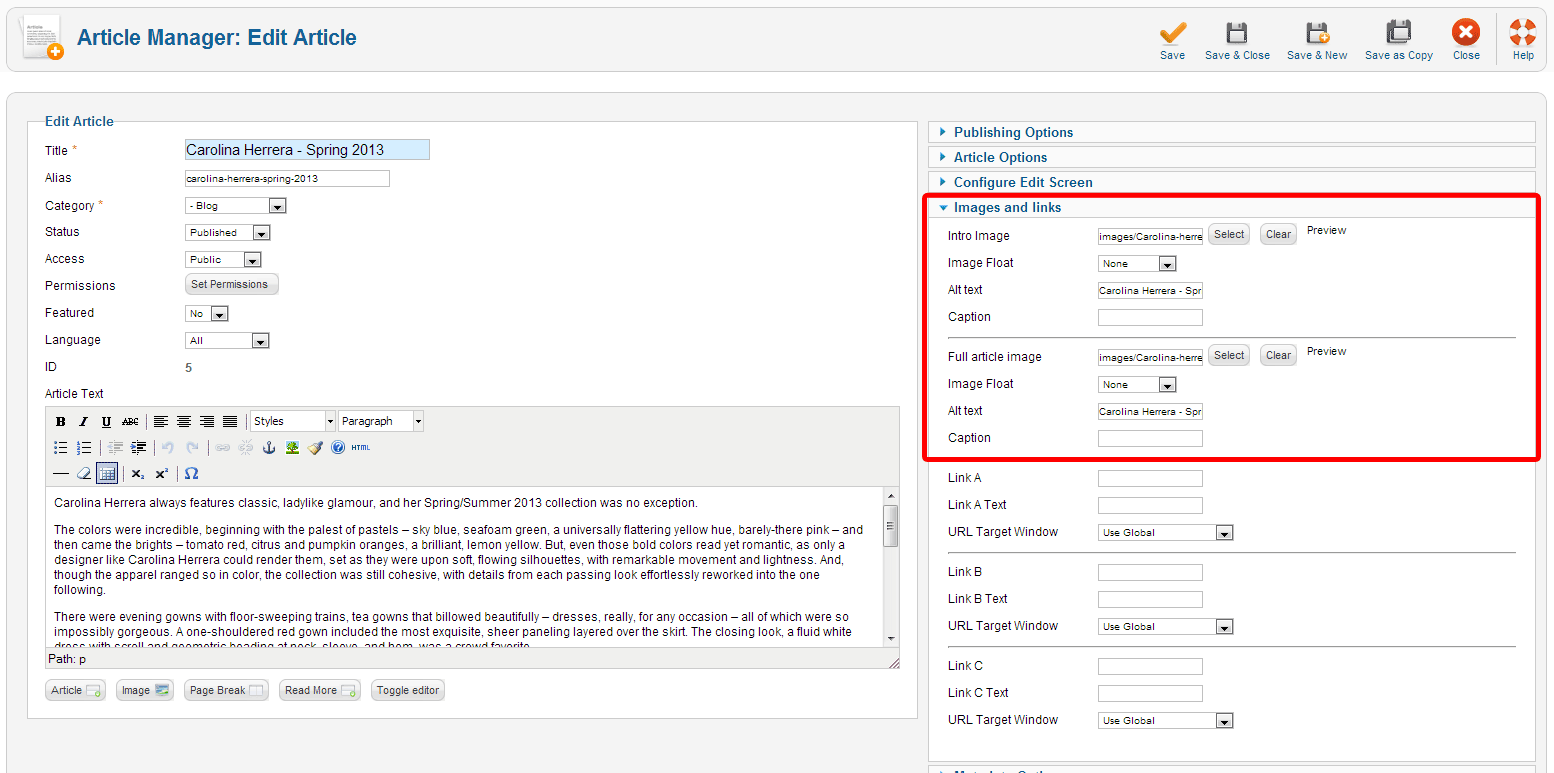
Also note that this Plugin is not for K2 or any other 3rd party Joomla component. It is developed for standard Joomla and VirtueMart. However you can always define a Global Image for your site (eg. your sites logo) from the Plugin Configuration area which will be used against any image fall back.
The images in articles works fine with the Plugin. You need to add the image using the standard article image field as shown on the attached screenshot. If you add the image within the content area then it will not be recognized.
Also note that this Plugin is not for K2 or any other 3rd party Joomla component. It is developed for standard Joomla and VirtueMart. However you can always define a Global Image for your site (eg. your sites logo) from the Plugin Configuration area which will be used against any image fall back.
Post your reviews about us on our Facebook Page.
Post your testimonials and suggestions Here.
Don't forget to Close your topic when resolved.
Post your testimonials and suggestions Here.
Don't forget to Close your topic when resolved.
rkoval says thank you to Jumbo for this post.
The topic has been closed.
Thu Jan 3, 2013 10:39 pm
#3
Expert Boarder
Topic Author
Joined on: 08 Nov 2012
Posts: 159
Thanks: 11
I have the images set as you show in the image and with K2 that is not the same. Guess I can just go about it a different direction.
Thank you for the input though.
Thank you for the input though.
rkoval says thank you to PollenRanch for this post.
The topic has been closed.
You are welcome.
Post your reviews about us on our Facebook Page.
Post your testimonials and suggestions Here.
Don't forget to Close your topic when resolved.
Post your testimonials and suggestions Here.
Don't forget to Close your topic when resolved.
rkoval says thank you to Jumbo for this post.
The topic has been closed.